How to make a circular audio spectrum
Frame your cover art with a frequency-driven circular visualizer.
Open the tool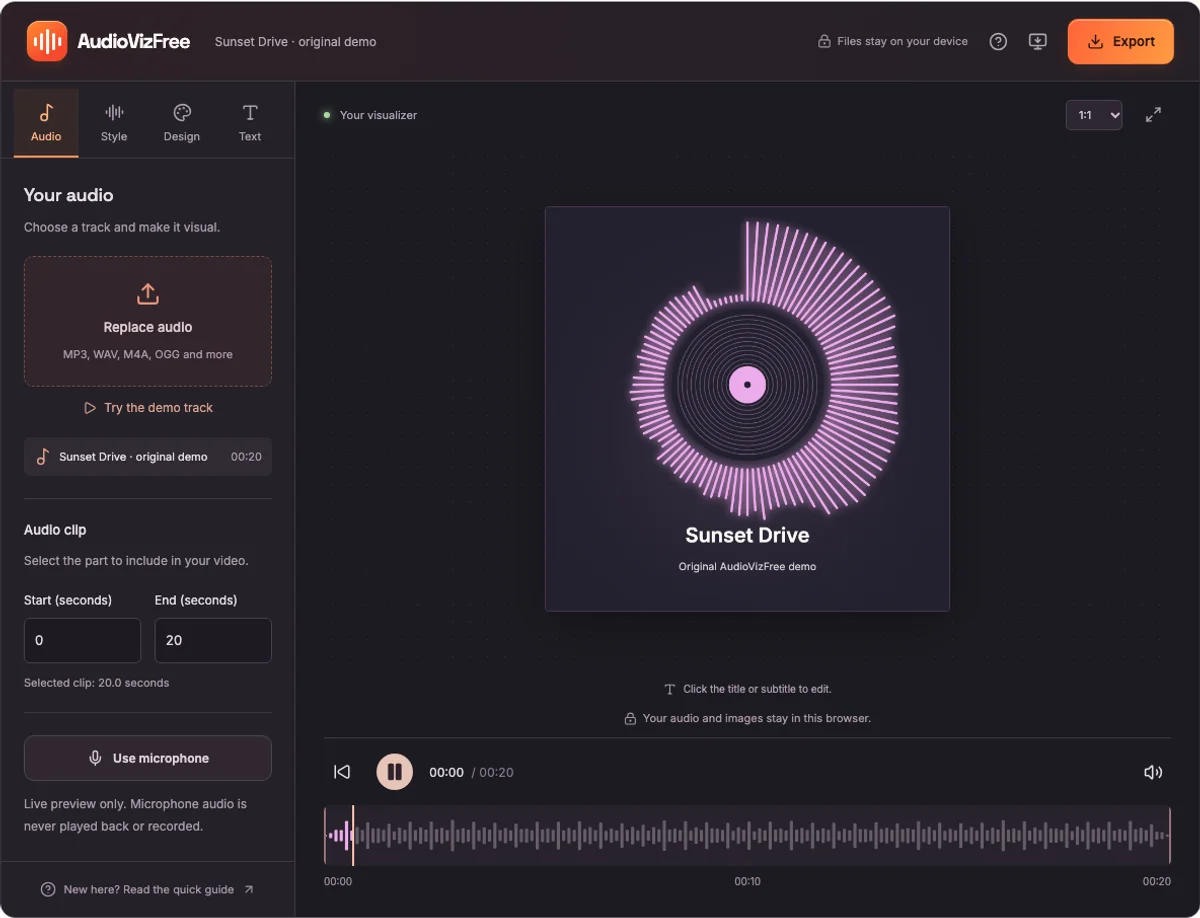
1. Open Circular Visualizer
Choose an audio file and press Play. The bars around the circle respond to the frequency content of the audio. Without uploaded cover art, the center shows a simple record graphic.
2. Add your album cover
Open Design and select Upload cover art. Choose a PNG, JPG, or WebP image under 12 MB. Square images are a good starting point. The image is cropped to fill the circular center.
Use the Remove cover image control to return to the record graphic. Upload background is a separate control that changes the full canvas background.
3. Adjust the spectrum
Choose a color that contrasts with your background. Open Style to adjust Sensitivity and toggle the Glow effect. The bars stay audio-reactive with or without glow.
Add a title and artist name in Text. A square aspect ratio gives the circle room to breathe; a landscape frame leaves more space around the visualizer.
4. Preview and export
Listen to both a quiet and a loud section of the track. Adjust sensitivity so the circle remains readable across the clip. Then choose the start and end of the video.
Open Export and download a video in an available format. For a still image of the current visual, choose PNG. SVG export is reserved for whole-track waveforms.