Audio waveform vs. spectrum: what is the difference?
One shows how a signal changes over time. The other shows its frequency content.
Open the tool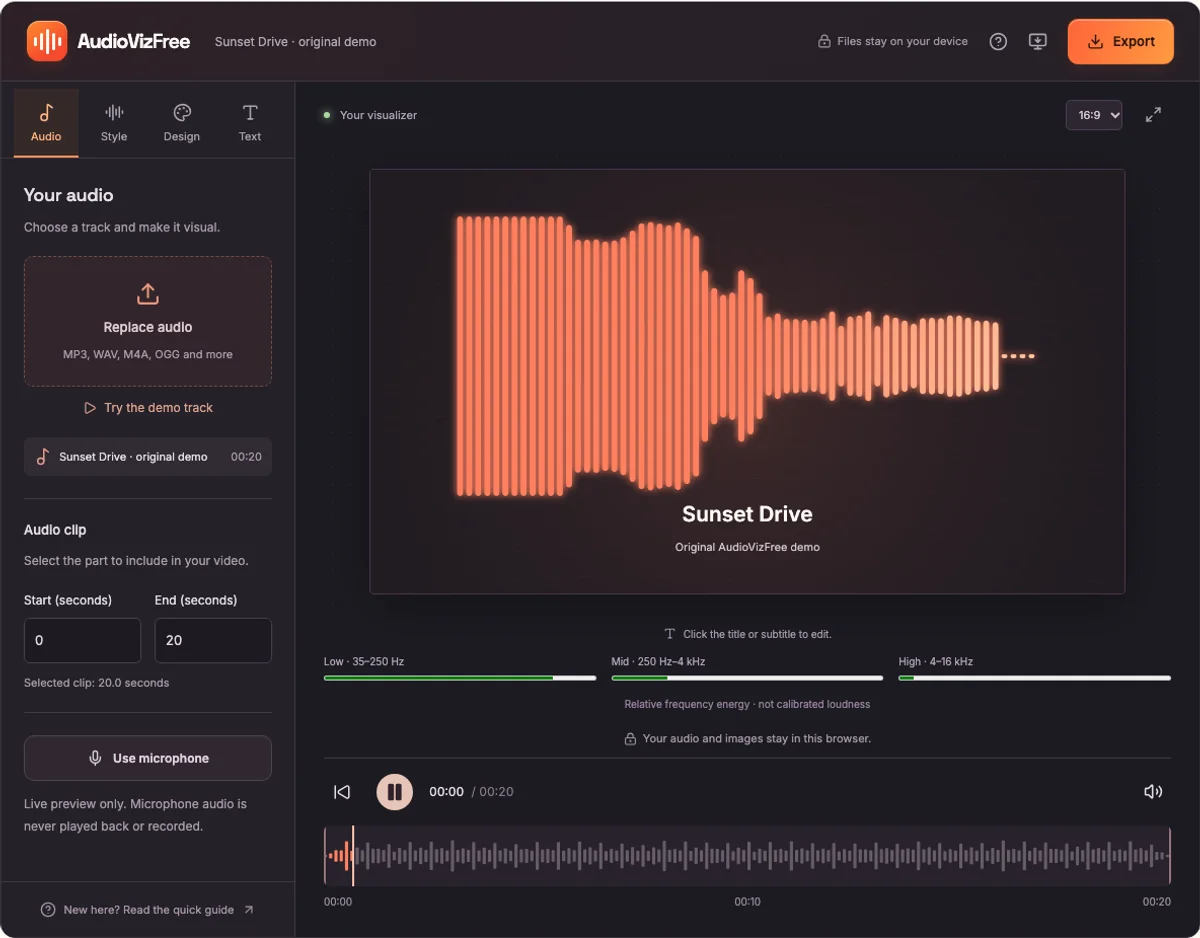
A waveform shows amplitude over time
A waveform plots the audio signal against time. In a full-track waveform, the horizontal direction runs from the beginning to the end of the recording. The height summarizes the signal amplitude in a small time interval.
A waveform is useful for locating quiet sections, spotting pauses, and seeing the overall shape of a recording. AudioVizFree samples peak amplitude into bars to make full-file waveforms practical to display and export.
A spectrum shows frequency content
A spectrum describes how signal energy is distributed across frequencies during a short analysis window. Lower frequencies are associated with slower oscillations; higher frequencies with faster oscillations.
AudioVizFree uses a browser audio analyser and a logarithmic display spanning approximately 35 Hz to 16 kHz. The Low, Mid, and High meters group this relative frequency energy into three ranges.
Choose the view for your task
Use Waveform Generator when you need a graphic representing the whole recording, especially for PNG and SVG exports. Use Spectrum Analyzer when you want to see changing frequency energy as an audio file or microphone input plays.
For a music visualizer video, the spectrum can become bars, a circle, or a mirrored pattern. Bass Pulse uses low frequency energy to change its rings. Particles uses audio energy to change the particle composition.
Know the limits of the display
A tall peak in a waveform does not tell you which instrument made it. A strong band in a spectrum does not identify a musical note or establish calibrated loudness.
Microphone response, browser audio processing, the analysis window, and your device can affect the display. Use a calibrated measurement setup when you need sound pressure levels or formal acoustic measurements.