Bass → orbit size
Both ellipses expand and contract with low-frequency energy.
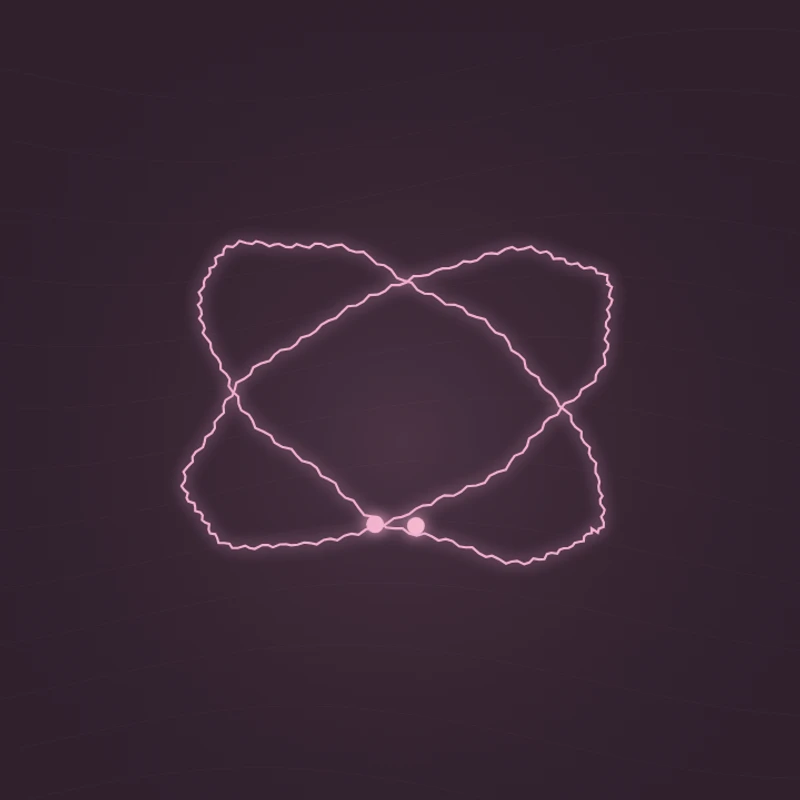
Animate two intersecting orbits and the particles moving along them. Bass energy changes the shape and motion.
Play the demo, then change the settings. Your choices carry into the studio.
Use this templateDual Orbit crosses two elliptical rings at opposing angles. Bass energy changes their overall size, and the frequency spectrum adds texture to their edges. A small point travels around each orbit as playback advances, creating a focused, sculptural composition.
Both ellipses expand and contract with low-frequency energy.
Frequency variations create small changes along the rings. The satellites travel in opposite directions with playback time.
Use the intersecting shapes as a simple visual identity for a track.
The centered geometry leaves a clear title area beneath it.
The compact form adapts well when the video has less horizontal space.
Choose “Use this template” above to open the studio with your preview settings. Add your own audio in the Audio panel, then choose the start and end of your clip.
A square frame balances the crossed ellipses. Moderate sensitivity preserves their outline while keeping the bass response visible. Add artwork and a background in Design, then enter a title in Text.
Check the color contrast and movement during a strong passage. Export a 720p or 1080p video with your audio, or save a still PNG. Available video formats depend on your browser.
The rings are thin, so a light color against a dark background makes their intersections easier to see.
Artwork appears separately in the upper corner of this template. Use Circular Spectrum if you want artwork inside the reactive ring.
Preview, customization, and export details.
This template places artwork in the corner of the composition. Circular Spectrum is designed specifically for a cover image in the center.
No. They share the same analyzed audio and use different angles and sampling positions for their visual texture.
Yes. This template, the editing controls, and supported exports are free, with no watermark. You need the rights to any audio or artwork you add to your project.
Open a template to play its demo and change its settings.