Bass → field radius
Low-frequency energy pushes the particles outward from the center.
Animate orbiting particles with your audio. Customize the particle color, background, and response sensitivity.
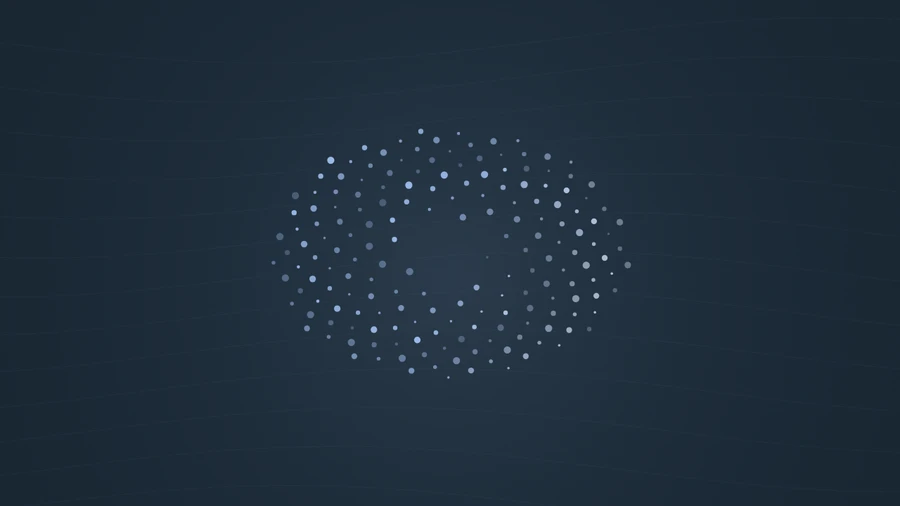
Play the demo, then change the settings. Your choices carry into the studio.
Use this templateParticles arranges 180 points into a rotating, oval-shaped field. The cloud expands with bass energy, while high frequencies change the size of its points. It creates an atmospheric scene that feels less rigid than a bar spectrum and gives sustained sounds a sense of space.
Low-frequency energy pushes the particles outward from the center.
High-frequency energy makes the points larger. A slow orbit continues as the audio timeline advances.
Use gentle motion to accompany pads, drones, and spacious arrangements.
A light, open composition works well with a single track title.
Pair the field with a simple background image for a more atmospheric scene.
Choose “Use this template” above to open the studio with your preview settings. Add your own audio in the Audio panel, then choose the start and end of your clip.
Landscape gives the oval field room to spread. The particles are drawn as crisp dots, so they stay light and readable at small sizes. Add artwork and a background in Design, then enter a title in Text.
Check the color contrast and movement during a strong passage. Export a 720p or 1080p video with your audio, or save a still PNG. Available video formats depend on your browser.
Small points disappear against a detailed photograph. A flat color or a low-detail background keeps them visible.
Cymbals and bright textures make the change in point size easier to see. Try a different passage before raising sensitivity.
Preview, customization, and export details.
No. The field uses overall bass and high-frequency energy, rather than assigning a frequency bin to each point.
Yes. The studio and video exporter use the same renderer. Your selected colors and sensitivity are carried into the export.
Yes. This template, the editing controls, and supported exports are free, with no watermark. You need the rights to any audio or artwork you add to your project.
Open a template to play its demo and change its settings.